ONEchain is a blockchain network that allows ONE holders to participate in network security through staking. By delegating ONE to a validator, users can contribute to the network's consensus while earning staking rewards.
In this guide, we'll walk you through how to stake ONE using the ONEchain staking portal , from connecting your wallet to delegating tokens and managing your stake.
Getting started
Before staking, make sure you have ONE tokens in a supported wallet. The staking platform accepts deposits from both BSC (BEP-20) and the ONEchain mainnet.
You can use the following wallets:
- ONEpocket: The native wallet available through the ONEpocket app.
- MetaMask: Available as a browser extension or mobile app.
- Binance Wallet: Available as a browser extension or mobile app.
If your ONE tokens are held on a centralized exchange, withdraw them to a supported wallet first. Make sure you select the correct network when transferring tokens.
If you are using MetaMask or Binance Wallet, you may need to add the ONEchain network manually.
ONEchain Mainnet configuration:
Network name: ONEchain Mainnet
Chain ID: 612055
Symbol: ONE
RPC URL: https://mainnet.onechain.nexus:22001
Block explorer: https://explorer.onechain.nexus/
Always verify network details before adding a custom network.
Start staking
- Visit the ONEstaking platform -> https://stake.ogfcorp.com/
- Click Connect Wallet.
- Select your preferred wallet and approve the connection.
- If prompted, switch to the ONEchain mainnet.
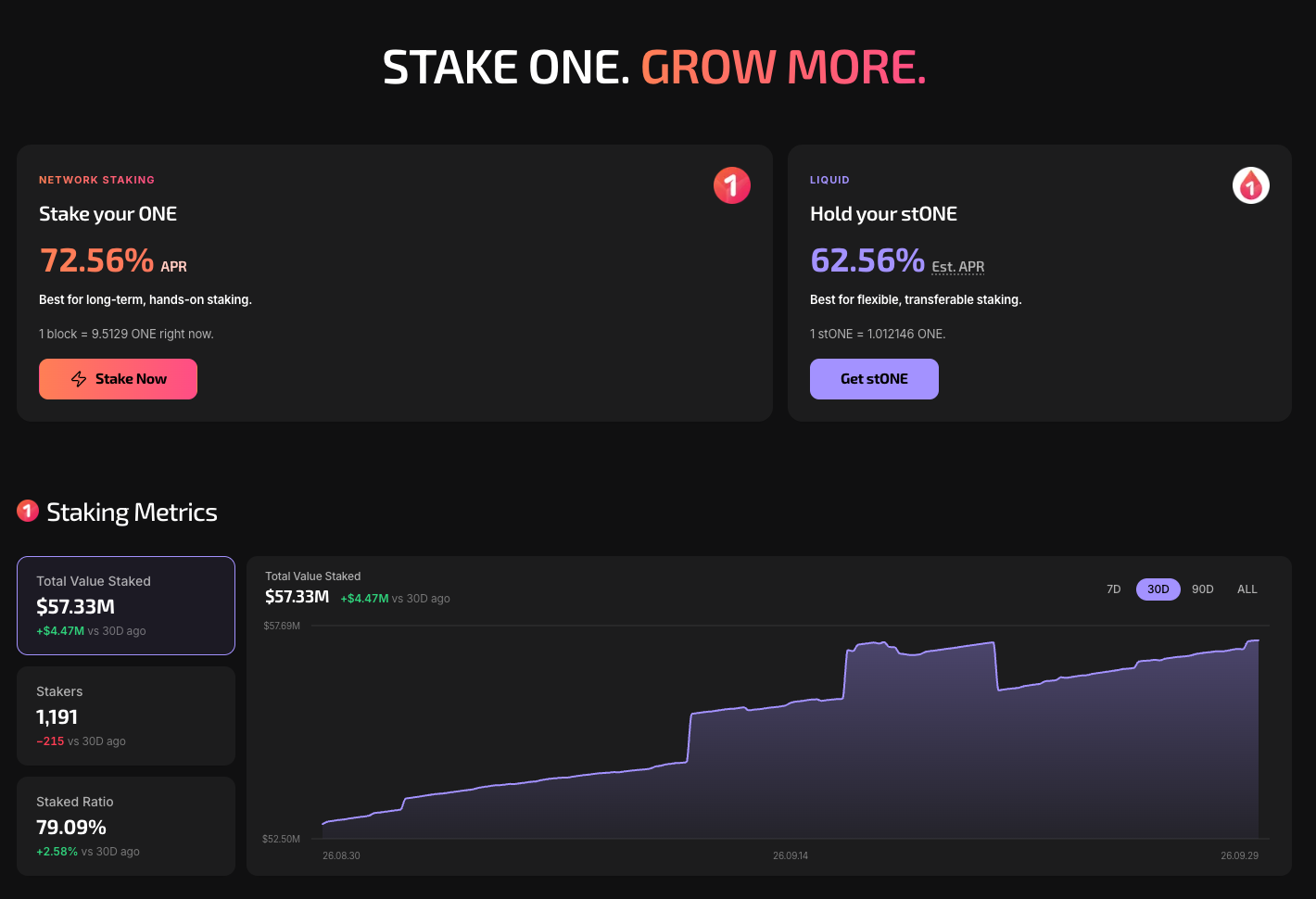
Once connected, you can access your portfolio, view your staking position and initiate staking transactions.
- Click Stake Now and enter the amount you wish to stake, then click Stake
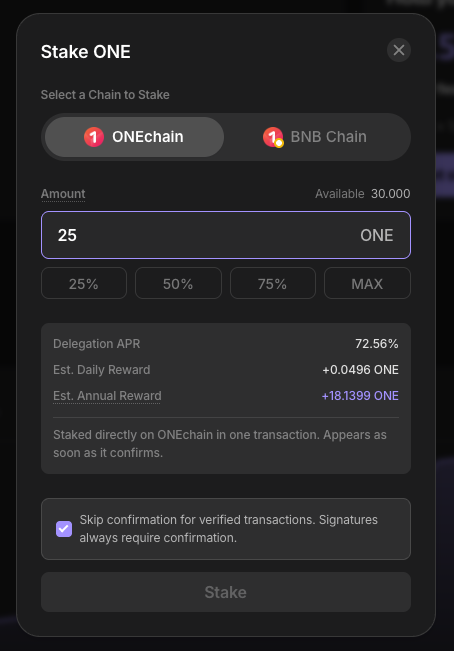
Congratulations! Once your stake is active, rewards accrue daily and are automatically added to your staked balance.
The estimated annual percentage rate (APR) depends on the network's reward rate and the total amount of ONE staked. It can change over time, including as a result of the protocol's annual reward halving mechanism.
You can monitor your staking position and the current estimated APR through the staking dashboard.
Staking rewards are distributed from the protocol's reserve pool. They are not guaranteed and may vary depending on protocol parameters and available rewards.
How to unstake ONE
You can initiate unstaking at any time. However, withdrawing your tokens requires completing a mandatory 14-day unbonding period.
To unstake ONE, open your Portfolio, click Unstake, enter the amount you want to withdraw, and confirm the transaction in your wallet. Your unstaking request includes the selected amount and its proportional share of accrued rewards. Once confirmed, your tokens enter a 14-day unbonding period, during which they remain locked and no additional staking rewards accrue on the unstaked amount.
Once the unbonding period is complete, return to your Portfolio and click Claim All to withdraw your available tokens. Your ONE tokens will be returned to your wallet on the ONEchain mainnet, regardless of whether you originally deposited them through BSC or ONEchain. If you want to transfer your tokens to a centralized exchange, you may need to bridge them from ONEchain to BSC first.
DISCLAIMER: This is not financial advice. Staking and cryptocurrency investment involve a certain degree of risk, and there is always the possibility of loss, including the loss of all staked digital assets. Additionally, delegators are at risk of slashing in case of security or liveness faults on some PoS protocols. We advise you to DYOR before choosing a validator.