This is a step-by-step guide on how to stake Chromia in Chromia Vault
Chromia is a Layer-1 relational blockchain that allows building and deploying dApps suitable for mass-scale and real-world use cases. When you stake $CHR, you contribute to the security and stability of the network.
With Chromia, you have the option to stake native $CHR on Chromia, ERC-20 CHR on Ethereum, and BEP-20 on BNB Chain. However, in this guide, we will focus on staking native CHR as staking on other chains is being deprecated.
How to stake your $CHR tokens
Please note, you will need:
- a Wallet(Phantom, Keplr, MetaMask or any other compatible wallet);
- $CHR tokens to stake and to cover the transaction fees.
Step 1: Visit the Chromia Vault and click on "Connect Wallet".
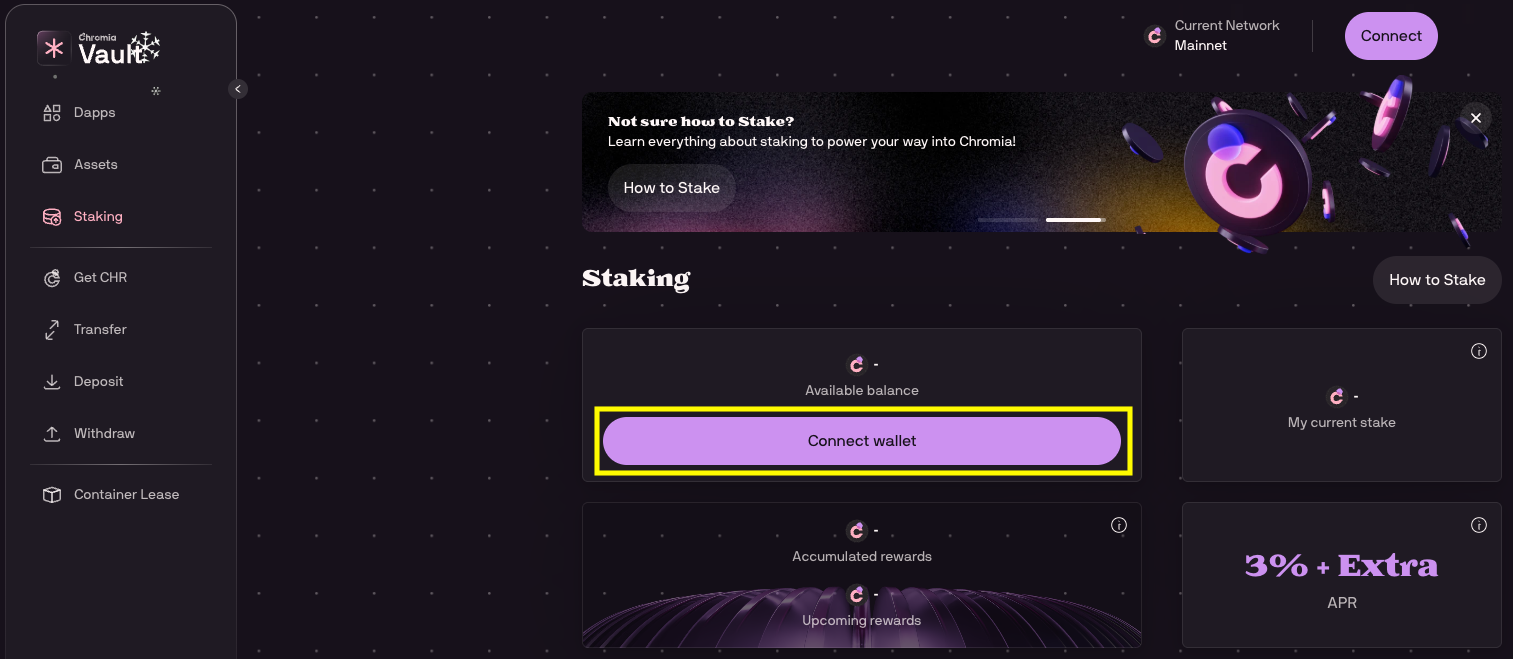
After you have connected your wallet, make sure you are connected to Chromia Mainnet
Step 2: Stake CHR
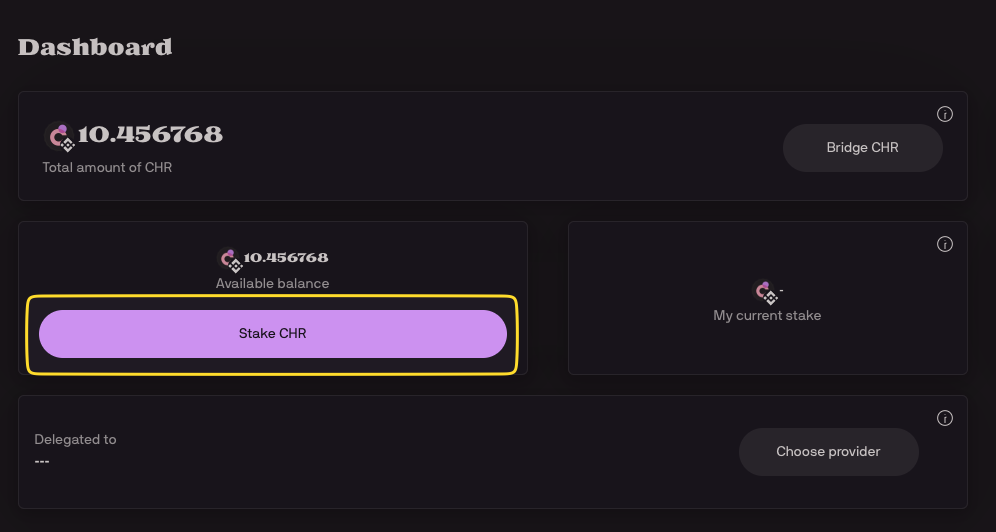
On the dashboard, click on "Stake CHR".
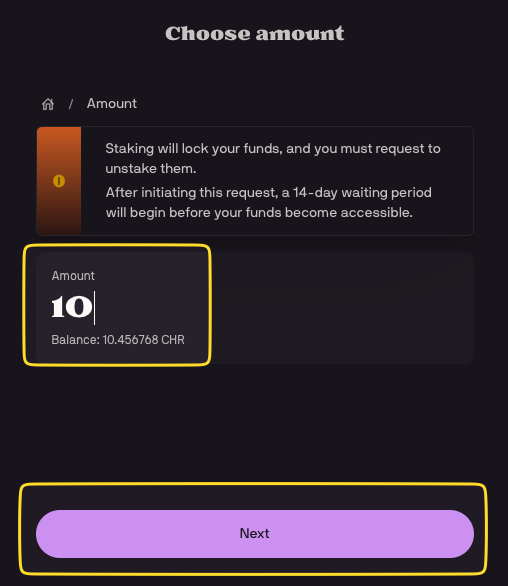
Then specify the amount you wish to stake and click "Next".
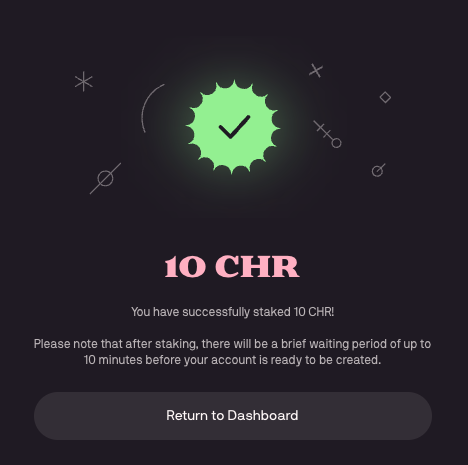
Depending if this is your first time interacting with Chromia or not, the next few steps might be slightly different for you. However, by simply following the steps and confirming the transactions in your wallet, you will get to the confirmation screen.
Step 3: Choose your staking provider
On the page you see a message, that to receive rewards, you need to delegate your stake to the provider. Click on "Choose provider".

When choosing your provider, you entrust them with validating transactions on your behalf. Once you have chosen the provider, any future stake will automatically go to your selected provider. Keep in mind that the amount of rewards earned varies based on the performance of the provider.
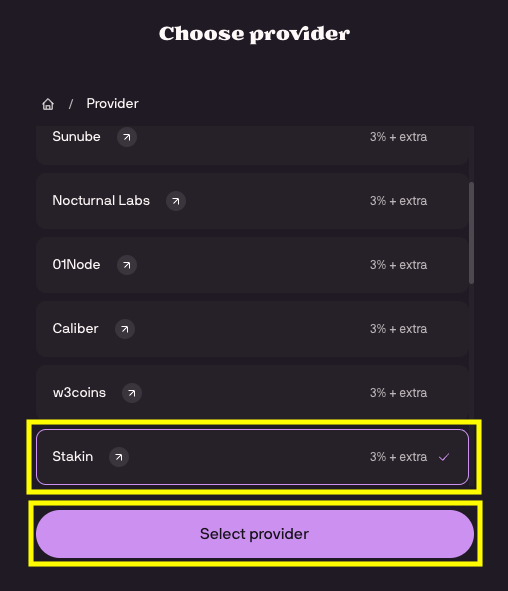
After confirming the transactions, you will get a success message:
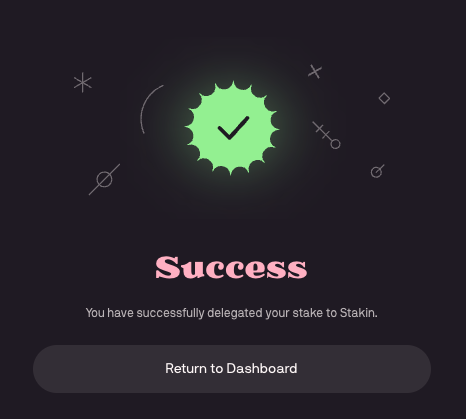
Congratulations - you have staked $CHR and will now start earning staking rewards.
On the Staking page, you can always monitor your rewards and also initialize unstaking. If you have any questions or need help, feel free to reach out to our team.
DISCLAIMER: This is not financial advice. Staking and cryptocurrency investment involve a certain degree of risk, and there is always the possibility of loss, including the loss of all staked digital assets. Additionally, delegators are at risk of slashing in case of security or liveness faults on some PoS protocols. We advise you to DYOR before choosing a validator.